

The 7 Most Common Data Breaks (and How to Monitor Them)

Key Takeaways
- Integration issues show up as leasing problems, not errors. Pricing gaps, missing applications, and payment confusion are usually the first warning signs.
- Small data drift creates big operational impact. Delays and mismatches erode trust and force manual workarounds.
- Simple monitoring catches most issues early. Volume, timing, and reconciliation checks prevent small problems from becoming disruptions.
- These failures are predictable and preventable. Teams that know the common breakpoints recover faster and protect leasing performance.
Most RentCafe and Yardi issues do not show up as system errors or warning messages. They show up as weird leasing problems. Pricing looks off compared to what agents are quoting.
Applications seem to disappear. Residents say they paid, but the ledger says otherwise. By the time someone realizes there is a real issue, occupancy, leasing velocity, or resident experience has already been affected.
That is because integrations rarely fail loudly. They drift. Small delays, configuration changes, or mismatched workflows quietly compound until teams start working around the systems instead of trusting them.
This post breaks down the seven most common RentCafe and Yardi data breakpoints and pairs each one with practical monitoring signals and first actions.
The goal is to help you spot problems early, before they turn into leasing disruptions or resident complaints.
Balanced Asset Solutions supports Yardi optimization, integrations, and data verification work, and these are the patterns that show up most often in real portfolios.
If you need a RentCafe overview, read the Balanced Asset Solutions marketing overview post first, then come back here to focus on monitoring and early warning signals.
The Simple Model: What Data Is Supposed to Flow Between RentCafe and Yardi
At its core, the RentCafe and Yardi connection is meant to support a clean leasing lifecycle without manual reconciliation.
Prospect and applicant data should flow smoothly from RentCafe into Yardi so leasing teams can manage screening, approvals, and follow-up from a single workflow.
When that flow breaks, visibility drops and applicants feel ignored, even if activity is happening behind the scenes.

Pricing and availability must also stay aligned. What prospects see online should match what leasing teams are quoting internally.
Because RentCafe is designed to surface real-time pricing and availability from Yardi, even small mismatches quickly erode trust.
Leasing events and documents should reflect the same status across both systems. Applications, screenings, leases, and renewals need to stay in sync so workflows remain predictable.
When they drift, leasing performance and resident experience are affected long before any system error appears.
The Monitoring Mindset: Three Checks That Catch Most Issues Early
Before diving into specific failure points, it helps to adopt a monitoring mindset focused on early warning signals rather than perfection.
With RentCafe and Yardi, the goal is not to prevent every issue, but to catch problems early while the impact is still small and manageable.
1. Volume Check: Do The Numbers Look Normal?
Most integration issues appear first as changes in counts, not error messages. Leads, applications, payments, and work orders tend to follow stable patterns.
Sudden spikes or drops without a clear operational reason often signal a breakdown in data flow. Even a quick comparison to recent weeks can surface issues before they affect leasing or resident experience.
2. Timeliness Check: Is Data Updating When It Should?
Late data is still broken data. Applications that once appeared quickly but now take hours, or payments that post later than expected, are common signs of integration drift.
Delays create confusion for staff and frustration for applicants and residents, even if records eventually sync.

3. Reconciliation Check: Do Key Totals Match Across Systems?
Availability counts, applicant totals, and paid status should align between RentCafe and Yardi. Small differences happen, but ongoing gaps indicate deeper issues.
When teams question which system is correct, confidence in reporting erodes and manual workarounds follow.
The 7 Most Common RentCafe + Yardi Data Breaks (and How to Spot Them Early)
The most damaging RentCafe and Yardi issues are predictable failures that repeat across portfolios. Teams that recover quickly do so because they spot problems early.
In each case, something quietly drifts, early warning signals appear, and teams either catch it fast or spend weeks dealing with the impact.
1. Pricing or Availability Does Not Match What Leasing Is Seeing
RentCafe displays pricing, availability, or specials that no longer reflect what is configured in Yardi.
Because the integration is positioned as delivering real-time pricing and availability through Voyager, mismatches here undermine trust immediately.
Early Warning Signals
- Leasing teams report an increase in “bait and switch” complaints
- Agents quote one price while prospects reference another
- Inquiry-to-application conversion drops even though traffic remains steady
What to Check First
- Confirm which system is acting as the source of truth for pricing
- Review recent pricing rule changes, bulk updates, or manual overrides
- Check the timing of those changes to identify delays or mismatches
Short-term workaround: Standardize quoting from one agreed system while discrepancies are resolved to reduce confusion and miscommunication.
Long-term prevention: Run a daily spot-check of a small set of high-traffic units to confirm pricing, specials, and availability status remain aligned.

2. Applications Get Submitted In Rentcafe But Do Not Appear In Yardi
RentCafe allows applicants to complete and submit applications, but the leasing team cannot locate those applications in Yardi, or the records arrive missing required information.
Because applications are designed to feed directly into Voyager approval workflows, missing or incomplete records disrupt the entire leasing pipeline.
Early Warning Signals
- Leasing teams report that they are “not getting applications”
- Applicants email or call asking if their application was received
- Application volume drops while lead or inquiry volume stays steady
What to Check First
- Identify whether the issue is property-specific or portfolio-wide
- Review required application fields and any recent form changes
- Check for recent configuration updates affecting application flow
Short-term workaround: Manually capture applicant information for time-sensitive leases to avoid losing qualified prospects.
Long-term prevention: Perform a daily count check comparing RentCafe submitted applications to applications visible in Yardi, even if only on a small sample.
3. Applicant Screening Status Does Not Sync Back Cleanly
Screenings are initiated through the RentCafe workflow, but results, documentation, or status updates do not reflect correctly in Yardi or back in RentCafe.
Because screening is tightly tied to leasing decisions, even small sync issues create delays and confusion.
Early Warning Signals
- Applicants remain “stuck in screening” longer than expected
- Duplicate screening records appear
- Leasing agents track screening status manually outside the system
What to Check First
- Confirm screening criteria and workflows are consistent across properties
- Verify required identifiers are present to allow proper record matching
- Review any recent changes to screening providers or rules

Short-term workaround: Pause automated screening decisions for affected applications and manage them manually until alignment is restored.
Long-term prevention: Run a weekly pipeline review to flag applicants who exceed acceptable time thresholds in a single status.
4. Prospect and Lead Records Duplicate or Fragment
The same prospect appears as multiple records, inflating lead volume and breaking attribution. In other cases, leads arrive without source data or key identifying fields, making follow-up and reporting unreliable.
Early Warning Signals
- Teams report high lead volume but low tour activity
- Reports show unusual spikes from unknown or untracked sources
- Agents complain about “ghost prospects” that cannot be contacted
What to Check First
- Review lead creation rules and required fields across all sources
- Identify where duplicate records are being created
- Check for overlapping integrations or form inconsistencies
Short-term workaround: Manually merge high-impact duplicate records to stabilize leasing activity and reporting.
Long-term prevention: Conduct weekly duplicate sampling, such as reviewing a small batch of new leads by email or phone, and track the percentage of leads with unknown sources.
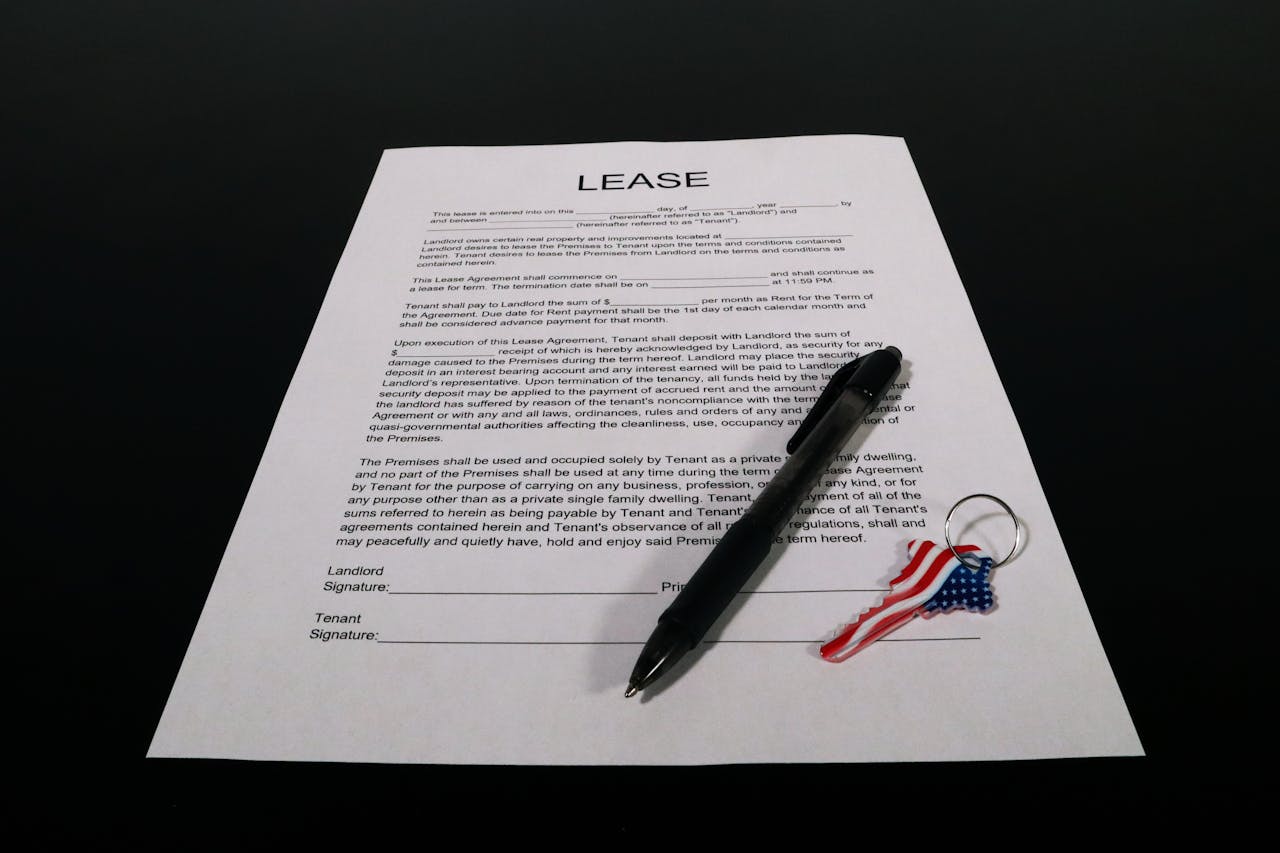
5. Lease and Renewal Workflows Do Not Line Up Between Systems
Lease types or renewal workflows configured in Yardi do not behave as expected in RentCafe, resulting in incorrect documents or processes. This often occurs when different lease templates are used for new leases versus renewals and mappings drift.
Early Warning Signals
- Incorrect lease packets are sent to prospects or residents
- Renewals display the wrong documents or terms
- Lease correction requests increase
What to Check First
- Verify lease template mappings and renewal configuration
- Review recent template or workflow changes
- Confirm updates followed an approved change control process
Short-term workaround: Pause affected automated workflows and route lease documents manually to prevent further errors.
Long-term prevention: Audit a small weekly sample of new leases and renewals to confirm correct templates and signature status.
6. Payments or Resident Portal Activity Does Not Reconcile
Residents submit payments or requests through the RentCafe portal, but ledger balances, payment status, or activity records in Yardi do not match what staff expects to see.
Because residents rely on the portal for critical actions, mismatches quickly erode trust.
Early Warning Signals
- Residents say “I paid, but it shows unpaid”
- Duplicate payments or missing payment postings appear
- Payment-related support tickets increase
What to Check First
- Confirm payment posting timelines and cutoff windows
- Identify whether the issue is tied to a specific payment method
- Review recent changes to payment processing settings
Short-term workaround: Manually adjust affected accounts and communicate clearly with residents while the issue is resolved.
Long-term prevention: Maintain a daily exception log and perform weekly payment reconciliation sampling to detect recurring issues early.
7. Interface Changes After an Upgrade or Configuration Update
After a Yardi upgrade or configuration change, permissions shift, interface mappings drift, or workflows behave differently than before.
These issues often surface immediately following major change events.
Early Warning Signals
- Multiple unrelated issues appear at the same time
- Problems begin the same day as an update
- Staff report that something “worked yesterday”

What to Check First
- Review the change log to identify recent updates
- Validate key mappings, permissions, and access rights
- Confirm that integrations were tested post-update
Short-term workaround: Roll back recent configuration changes where possible to restore stability.
Long-term prevention: Implement a structured 48-hour integration watch after any upgrade, capturing pre- and post-change snapshots of leads, applications, and payment tickets.
The Monitoring Plan: A Simple Schedule Your Team Will Actually Follow
Monitoring only works if it fits into daily operations. This plan is intentionally lightweight. The goal is not to audit everything, but to surface problems early, while they are still easy to fix.
Daily Checks (5 to 10 Minutes)
Spot-check pricing and availability on a small sample of high-traffic units to catch obvious mismatches. Compare new applications submitted in RentCafe to what leasing staff can see in Yardi.
Review payment disputes or “stuck” items to identify portal or posting issues before residents escalate them.
Weekly Checks (20 to 30 Minutes)
Sample for duplicate leads and review pipeline aging to spot applicants stuck in the same stage. Audit a small set of new leases and renewals to confirm correct templates and documents.
Review the top resident tickets by category to identify emerging workflow or data issues.
After Any Change Event (About 15 Minutes)
Run a short 48-hour integration watch after upgrades, pricing rule changes, template updates, or permission changes. Capture a quick before-and-after snapshot of leads, applications, and payment tickets.
When to Escalate and When to Bring in Consulting
Escalation makes sense when issues are portfolio-wide, ongoing, or affect core financial workflows like pricing, applications, payments, or leases.
If teams rely on manual workarounds or lose confidence in reports, the issue is no longer isolated.
Yardi consultants are most helpful when you need validation beyond daily operations.
They are helpful at reviewing integration configuration, reconciling mismatched data, or standardizing workflows across properties where problems sit between systems and are hard to diagnose internally.
Balanced Asset Solutions provides Yardi consulting for Voyager and Breeze users, including migration support, data verification, and integration optimization.
For Breeze portfolios, expert review of RentCafe setup and integration often prevents ongoing operational drift.
Bottom Line
Integrations between RentCafe and Yardi tend to break in predictable ways. Most problems do not start as system failures, but as small inconsistencies that grow over time.
A simple monitoring habit helps teams catch those issues early, before they affect leasing performance, pricing trust, or resident experience.
If you want help building a monitoring checklist and validating your RentCafe and Yardi setup, talk to a Balanced Asset Solutions Yardi consultant about Voyager or Breeze consulting support.